
Virtual Machine Data Recovery in Oman
Professional Recovery for VMware, ESXi, Hyper-V, Proxmox, and VirtualBox
Has a virtual machine stopped booting? Is your datastore inaccessible, or have VMDK, VDI, VHD, or VHDX files been deleted or corrupted?
At Royal iRecovery, we diagnose damaged virtual storage environments and recover critical virtual machines, server data, application files, databases, and business records.
Your Virtual Machines and Business Data May Still Be Recoverable
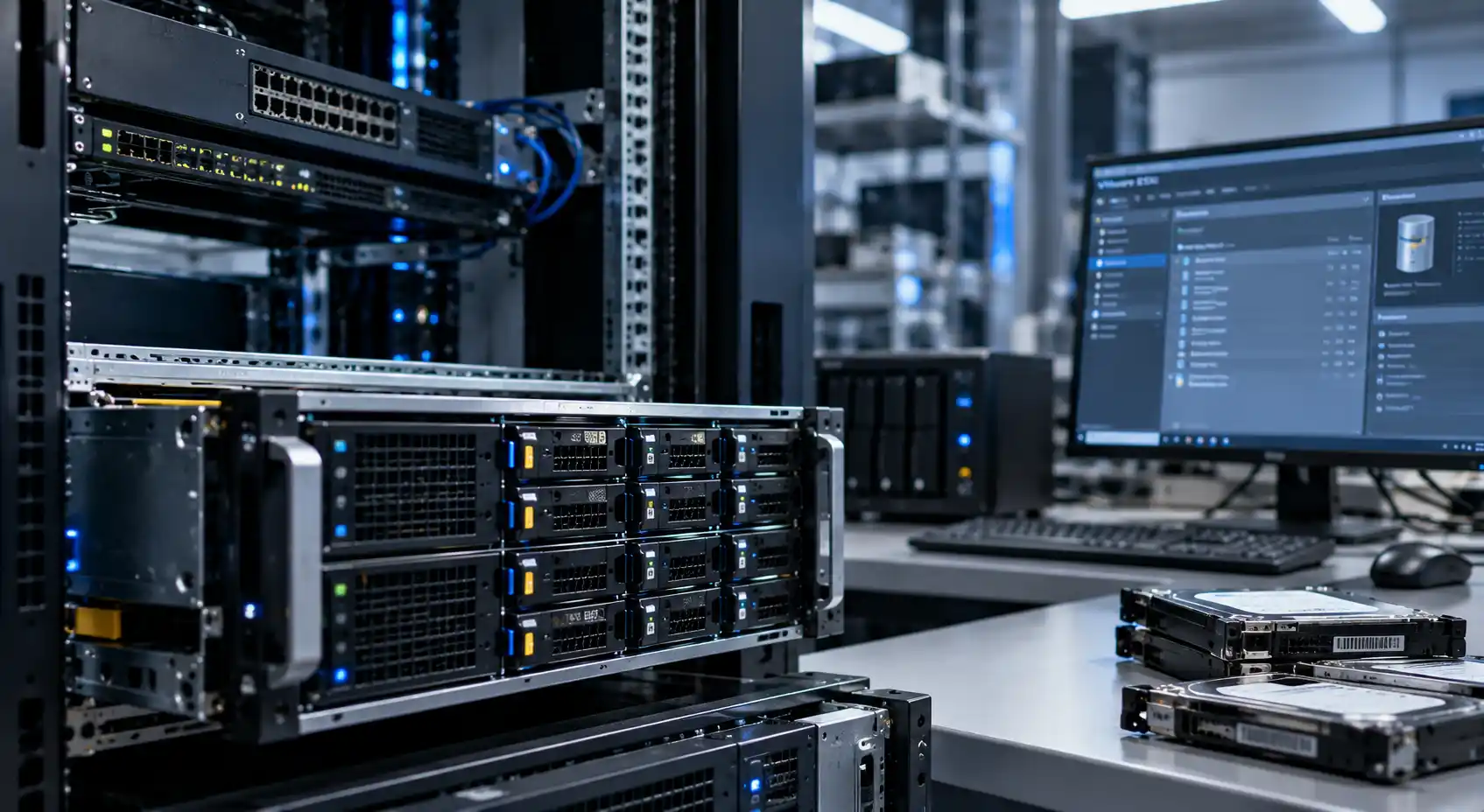
A failed datastore or damaged virtual disk can make an entire server environment inaccessible. Virtual machines may disappear from the management interface, refuse to start, enter a boot loop, or report that their virtual disks cannot be opened.
Avoid making unnecessary changes to the affected environment. Rebuilding a datastore, creating new virtual machines, or writing new data to the storage system may overwrite recoverable information.
Let a specialist examine the original storage before attempting repairs.
These problems may result from:
- Failed physical drives
- RAID or storage-array failure
- Corrupted datastores
- Accidental deletion
- Deleted snapshots
- Damaged virtual-disk files
- Interrupted migrations
- Power failures
- Failed updates
- File-system corruption
- Ransomware or malware
- Incorrect storage configuration
Professional Virtual Machine Data Recovery Services
ESXi Datastore Recovery
We recover data from inaccessible or corrupted VMware ESXi datastores, including environments using VMFS storage.
The storage structure and underlying disks are examined before any recovery work begins.
Our ESXi Datastore Recovery service can assist when:
- An ESXi datastore is missing or inaccessible
- A VMFS volume is damaged
- Virtual machines no longer appear in the inventory
- The host detects the storage but cannot mount it
- Datastore files were accidentally deleted
- The underlying RAID or physical storage has failed
- A failed expansion, migration, or configuration change damaged the datastore
VMware VMDK Recovery
VMDK files contain the virtual disks used by VMware virtual machines. When a VMDK becomes corrupted, deleted, incomplete, or separated from its descriptor, the virtual machine may fail to boot or important files may become inaccessible.
Our VMware VMDK Recovery service covers:
Deleted VMDK files
Corrupted virtual disks
Missing or damaged descriptor files
Broken snapshot chains
Incomplete virtual-machine folders
Virtual disks recovered from failed RAID systems
Data extraction from non-booting VMware machines
Recovery of individual files, databases, or complete virtual systems
Our VirtualBox VDI Recovery service can help with:
- Deleted VDI files
- Corrupted VDI headers
- Damaged dynamic virtual disks
- Interrupted disk expansion or conversion
- Broken snapshot structures
- File-system corruption inside the virtual disk
- Data extraction from a VirtualBox machine that no longer boots
VirtualBox VDI Recovery
A damaged VDI file may prevent a VirtualBox machine from starting or make its operating system and files inaccessible.
Proxmox VM Storage Recovery
Proxmox environments may use local storage, LVM, LVM-thin, ZFS, Ceph, NFS, or other storage configurations. A failure in any layer can affect one or several virtual machines.
Our Proxmox VM Storage recovery service addresses:
Missing Proxmox virtual machines
Damaged VM disk images
Failed LVM or LVM-thin storage
Inaccessible ZFS pools
Corrupted QCOW2 or RAW virtual disks
Failed RAID storage beneath Proxmox
Deleted virtual-machine configurations
Damaged snapshots
Recovery after an unsuccessful migration or update
Hyper-V VHD / VHDX Recovery
Microsoft Hyper-V environments commonly store virtual disks in VHD or VHDX files. Damage to these files can prevent a virtual machine from starting and block access to its data.
Deleted VHD and VHDX files
Corrupted VHDX metadata
Damaged differencing disks
Broken checkpoint chains
Incomplete merges
Failed storage migrations
Data extraction from non-booting Hyper-V machines
Recovery from failed RAID, NAS, SAN, or local storage
Is Your Virtual Environment Experiencing One of These Problems?
Datastore Missing or Inaccessible
The virtualization host detects the storage device, but the datastore is unavailable, unmounted, or displayed with an error.
Virtual Machine Does Not Start
The VM remains in a boot loop, displays a disk error, or cannot locate its operating system.
Virtual Disk File Is Corrupted
A VMDK, VDI, VHD, VHDX, QCOW2, or RAW disk image exists but cannot be opened or attached.
Virtual Machine Accidentally Deleted
A virtual machine, virtual disk, datastore folder, or snapshot was deleted from the management interface or storage system.
Snapshot or Checkpoint Chain Is Broken
One or more snapshot files are missing, damaged, or incorrectly linked, preventing the virtual machine from starting normally.
RAID or Physical Storage Has Failed
The virtual environment became inaccessible after one or more disks failed in a server, RAID array, NAS, or SAN.
File System Inside the VM Is Damaged
The virtual machine starts, but a partition, database, application, or group of files remains inaccessible.
Migration or Conversion Failed
A virtual machine migration, disk conversion, storage move, or platform change was interrupted or completed incorrectly.
Ransomware or Malware Attack
Virtual disks, configuration files, or backup repositories were encrypted, deleted, or corrupted during an attack.
Storage Was Reformatted or Reinitialized
A disk, RAID volume, datastore, or storage pool was accidentally formatted, recreated, or overwritten.
What to Do When a Virtual Machine or Datastore Fails
If critical virtual machines have become inaccessible:
If the storage is physically failing, continuing to operate it may reduce the possibility of recovery.
- Stop writing new data to the affected storage.
- Do not create a new datastore on the same disks.
- Do not initialize or format the storage.
- Do not rebuild the RAID without verifying its original configuration.
- Do not delete snapshots or checkpoints.
- Do not force a snapshot merge.
- Do not create a new virtual machine with the same name or path.
- Do not repeatedly restart failing physical drives.
- Preserve the original disks and configuration information.
- Record any error messages before shutting down the affected system.
Why Choose Royal iRecovery?
More Than 25 Years of Experience
Royal iRecovery has more than 25 years of experience recovering critical data from servers, RAID systems, hard drives, SSDs, and complex storage environments.
Experience Across Major Virtualization Platforms
We work with virtual environments based on VMware ESXi, Microsoft Hyper-V, Proxmox VE, Oracle VirtualBox, and other virtualization technologies.
Physical and Logical Recovery Capabilities
Virtual machine failure may begin at the virtual disk, file system, datastore, RAID, or physical drive level. We examine the complete storage chain to identify the actual source of the problem.
Advanced Data Recovery Equipment
Our specialists use professional diagnostic and recovery equipment, including PC-3000 systems, when the underlying drives have physical or firmware-related faults.
Class 100 Cleanroom Facilities
Physically damaged hard drives can be examined and handled in an appropriate controlled environment when internal repair is required.
Complete Confidentiality
We handle business systems, customer records, databases, credentials, and recovered files with strict confidentiality.
Free Initial Diagnosis
We examine the available storage and provide a technical assessment, proposed recovery plan, expected timeframe, and cost estimate before recovery begins.
Service Throughout Oman
Our data recovery center is located in Al Khuwair, Muscat, and serves businesses, government entities, IT departments, service providers, and individuals throughout the Sultanate of Oman.
From Initial Diagnosis to Recovered Virtual Machines
Contact and Technical Consultation
Tell us which virtualization platform you use, what happened, and which systems or files are most important.
Free Initial Diagnosis
We examine the affected storage, datastore, and virtual-disk structure to identify the cause and extent of the damage.
Recovery Plan and Cost Estimate
You receive information about the condition of the environment, what can be recovered, the proposed recovery method, the expected timeframe, and the estimated cost.
Your Approval
Recovery work begins after you review and approve the proposed plan.
Virtual Machine Data Recovery
Depending on the damage, we may recover complete virtual machines, virtual-disk files, partitions, databases, or selected critical files.
Verification and Secure Delivery
The recovered data is checked and returned on suitable storage media. Confidentiality is maintained throughout the process.
Helpful information can include:
- Virtualization platform and version
- Storage configuration
- RAID level
- Number and capacity of physical disks
- Virtual-disk format
- Recent errors or changes
- Snapshot or checkpoint structure
- Required virtual machines, databases, or files
Depending on the damage, we may recover:
- Complete virtual machines
- Virtual-disk files
- Individual partitions
- Databases
- Application data
- Documents and shared folders
- Configuration files
- Selected critical files

Do not replace multiple disks, initialize the array, or create a new RAID configuration before receiving professional advice. Incorrect rebuild attempts can overwrite essential metadata and virtual-machine data.
Virtual Machine Recovery from Failed RAID Storage
Virtual environments are often stored on RAID arrays, NAS appliances, SAN systems, or enterprise servers. In these cases, recovering a virtual disk may require rebuilding the underlying storage structure first.
We examine:
- Disk order
- RAID level
- Stripe size
- Parity rotation
- Controller configuration
- Missing or failed drives
- Storage-pool metadata
- Datastore structure
- Virtual-disk relationships
Recovery for Business-Critical Virtual Systems
Virtual machine failures can interrupt access to:
Tell us which services are most urgent. When technically possible, we can prioritize recovery around the most critical virtual machines or files.
- ERP and accounting systems
- SQL and other databases
- Email servers
- Domain controllers
- File servers
- Web applications
- Development environments
- Customer-management systems
- Medical or industrial applications
- Backup servers
- Security and monitoring platforms
Before Attempting to Repair the Environment Yourself, Contact Us
Start by examining the original storage. Avoid unnecessary repair attempts when the virtual machines contain important data.
Contact a specialist if:
- An ESXi datastore has disappeared
- A VMDK file cannot be opened
- A VirtualBox VDI is corrupted
- Proxmox storage is unavailable
- A Hyper-V VHD or VHDX file is damaged
- A snapshot or checkpoint chain is broken
- Multiple virtual machines disappeared simultaneously
- The underlying RAID system has failed
- The host asks you to initialize or format storage
- Important virtual machines were deleted
- A migration, merge, or conversion failed
- The physical storage produces unusual sounds or errors
Still Unsure Whether Your Virtual Machines Can Be Recovered?
You do not have to guess. Tell us what happened, and a specialist will provide initial guidance.
Whether you need ESXi Datastore Recovery, VMware VMDK Recovery, VirtualBox VDI Recovery, Proxmox VM Storage Recovery, or Hyper-V VHD/VHDX Recovery, Royal iRecovery can examine your full storage environment and recommend the right next step.
Restore Access to Your Critical Virtual Systems
A virtual machine can contain years of business records, customer information, databases, applications, and essential infrastructure.
If your datastore or virtual disk has failed, avoid unnecessary changes. Begin with a professional diagnosis focused on preserving the original storage and recovering the most important systems.
Has the storage underneath failed? See our RAID data recovery and server data recovery services.
Royal iRecovery
Professional Virtual Machine Data Recovery in Muscat and Throughout Oman
- Over 25 Years of Experience
- Free Initial Diagnosis
- Complete Confidentiality
- Phone and WhatsApp: +968 77 480 955
- Email: info@datarecovery.om
- Address: Al Khuwair Street, Al-UZD Complex, Shop No. 5, Sultanate of Oman
FAQ
Frequently Asked Questions About Virtual Machine Data Recovery
Can an inaccessible ESXi datastore be recovered?
Recovery may be possible depending on the condition of the VMFS datastore and its underlying physical storage. Avoid creating a new datastore or formatting the affected volume.
Can a deleted VMDK file be recovered?
A deleted VMDK may be recoverable if its data has not been overwritten. Stop using the affected datastore immediately.
Can you recover a VMware virtual machine that no longer boots?
Yes, depending on the damage. It may be possible to repair the virtual-disk structure, reconstruct the virtual machine, or extract important files directly.
Can a corrupted VirtualBox VDI file be recovered?
Recovery may be possible when the VDI header, internal file system, or other structures are damaged. Preserve the original VDI and related snapshot files.
Can you recover Proxmox virtual machines?
Yes. Recovery possibilities depend on the storage technology, such as LVM-thin, ZFS, Ceph, QCOW2, RAW storage, or an underlying RAID system.
Can damaged VHD or VHDX files be recovered?
Potentially, yes. We examine the virtual disk, its metadata, checkpoints, and underlying file system to determine the appropriate recovery method.
Can you repair a broken snapshot or checkpoint chain?
In some cases, we can reconstruct missing relationships or extract useful data from the remaining virtual disks. Do not delete or merge additional snapshots before diagnosis.
Can virtual machines be recovered from a failed RAID array?
Yes, provided enough information remains to reconstruct the RAID and recover the datastore. The result depends on the RAID configuration and condition of the member disks.
Can you recover individual files instead of the complete VM?
Yes. When complete virtual machine recovery is unnecessary or impossible, recovery may focus on selected databases, documents, application files, or other critical information.
What information should I provide?
Provide the virtualization platform, storage type, RAID configuration, disk order, recent changes, error messages, and a list of the most important virtual machines or files.
How much does virtual machine data recovery cost?
The cost depends on the storage configuration, type of damage, number of disks, and complexity of the virtual environment. You receive an estimate after the initial diagnosis.
Is the initial diagnosis free?
Yes. Royal iRecovery provides a free initial diagnosis before beginning the recovery process.
Is our business data handled confidentially?
Yes. We handle devices, system information, and recovered data securely and confidentially.
Do you serve clients outside Muscat?
Yes. Royal iRecovery provides virtual machine data recovery services to organizations and individuals throughout Oman.