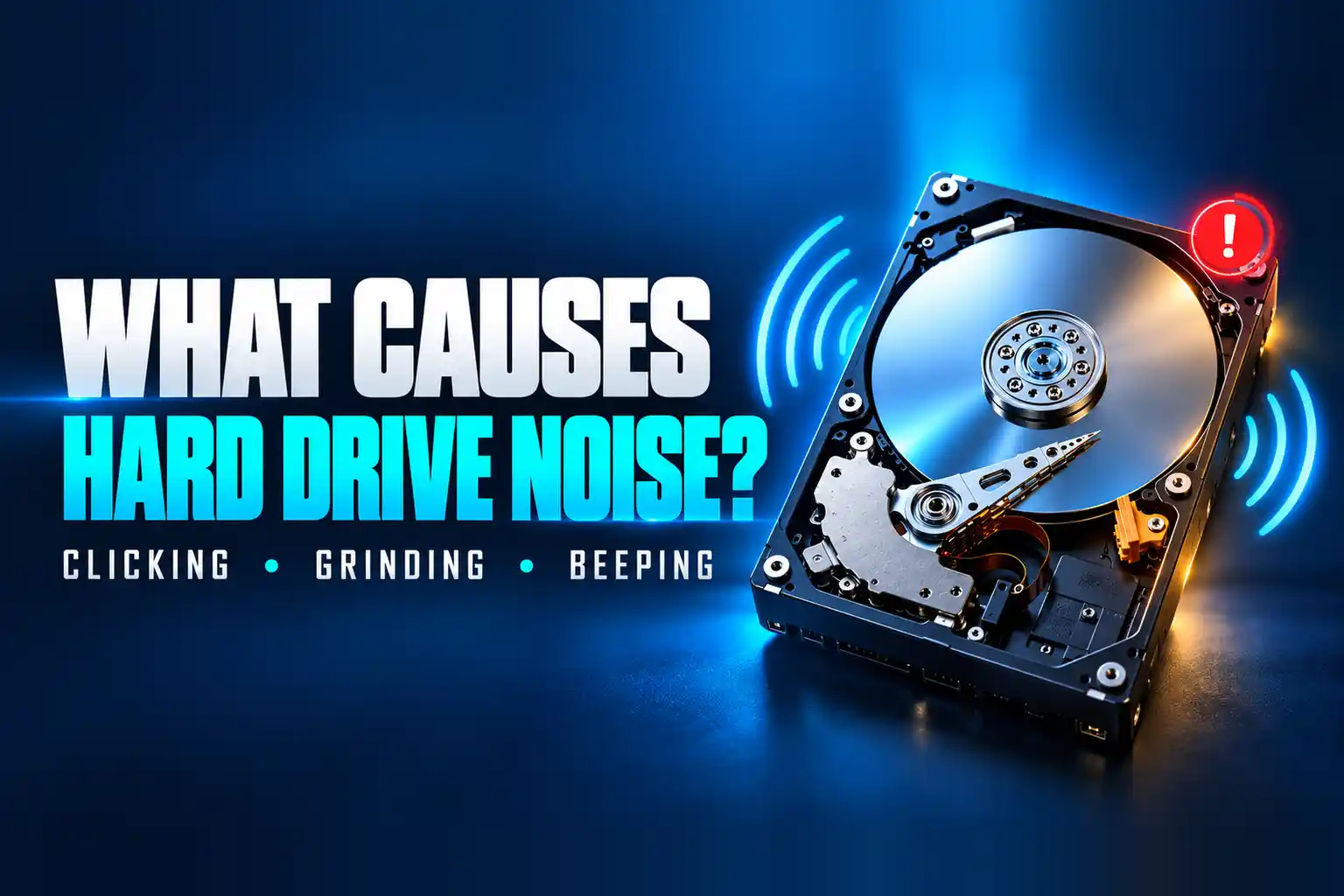
Unusual hard disk noise is commonly caused by damaged read/write heads, motor or bearing problems, unstable power, physical impact, overheating, or internal mechanical wear. Repetitive clicking, grinding, scraping, loud buzzing, and beeping are not sounds you should ignore.
If your hard drive contains important files, stop using it before testing becomes destruction. Royal iRecovery provides professional hard drive diagnosis and data recovery in Muscat and across Oman. Contact our specialists for a free initial evaluation before running recovery software, formatting the drive, or opening it.
Is It Normal for an HDD to Make Noise?
An HDD contains spinning platters, a motor, and moving read/write heads. Therefore, it will never be completely silent.
Normal HDD sounds may include:
- A soft spinning or humming sound
- Light clicking during file access
- A brief spin-up sound when the computer starts
- Occasional activity sounds during backups or updates
The noise becomes concerning when it is new, loud, repetitive, or accompanied by freezing, missing files, slow performance, or detection problems.
SSDs have no moving parts and shouldn’t make mechanical sounds. If a computer with an SSD makes grinding or clicking noises, the sound may come from the cooling fan, speaker, power supply, or another component.
What Does a Bad HDD Sound Like?
Different sounds can point to different problems, but you can’t confirm the exact cause without examining the drive.
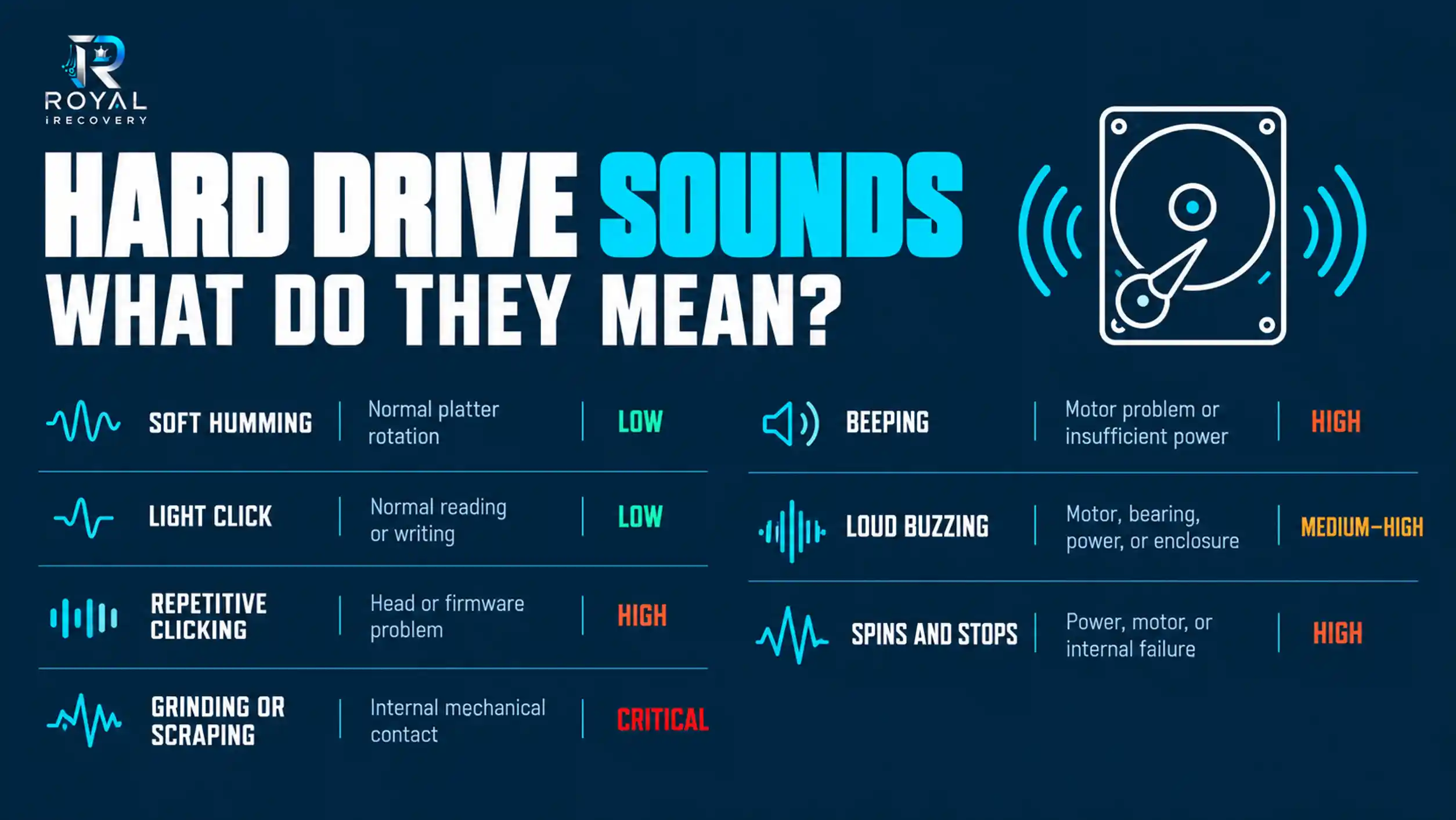
A single click does not necessarily mean failure. Repeated clicking at regular intervals (especially when the drive is not detected) is a serious warning.
What Causes Unusual Noise from a Hard Disk?
Damaged Read/Write Heads
The read/write heads move extremely close to the platter surfaces. If they become damaged or cannot find the required data, the drive may click repeatedly as it tries the same operation.
Continued use can let damaged heads contact the platters and reduce the chance of successful data recovery.
Motor or Spindle Failure
The motor spins the platters at a controlled speed. A failing motor may buzz, beep, hum, or repeatedly try to start.
If the platters cannot reach the correct speed, the computer may not recognize the drive.
Worn Bearings
Worn motor bearings can produce grinding, whirring, or vibration. The noise may gradually become louder and may change as the drive heats up.
Physical Shock
Dropping a laptop or external hard drive can damage the heads, motor, platters, or enclosure. If a drive starts clicking or grinding after impact, switch it off immediately.
Insufficient or Unstable Power
External hard drives may beep or buzz when a USB port, cable, adapter, or power supply doesn’t provide enough power.
Try a different cable or port if there are no signs of physical damage. However, avoid repeated power cycling if the drive clicks, grinds, or contains important files you can’t access.
Overheating
Excessive heat can affect a hard drive’s motor, electronic components, and internal tolerances. Proper ventilation is especially important in Oman, where laptops and external drives may face high ambient temperatures.
Never leave a drive inside a hot vehicle or operate it in direct sunlight.
Age and Mechanical Wear
HDD components naturally wear with time. An older drive may become louder, slower, or less reliable, but age alone cannot identify the exact fault.
Why Is My Hard Drive Making a Weird Noise?
The timing of the noise can offer useful clues:
- Noise during startup: The drive may struggle to spin up or initialize.
- Clicking when opening files: The heads may repeatedly try to read damaged areas.
- Noise after the drive was dropped: Internal mechanical damage may have occurred.
- Noise with freezing: Windows may be waiting for data the drive cannot read.
- Noise and no detection: The motor, heads, electronics, firmware, or power source may have failed.
Do not rely on sound alone for a final diagnosis. Different failures can produce similar noises, and two identical drive models may sound different.
Why Is My External Hard Drive Making Weird Buzzing Noises?
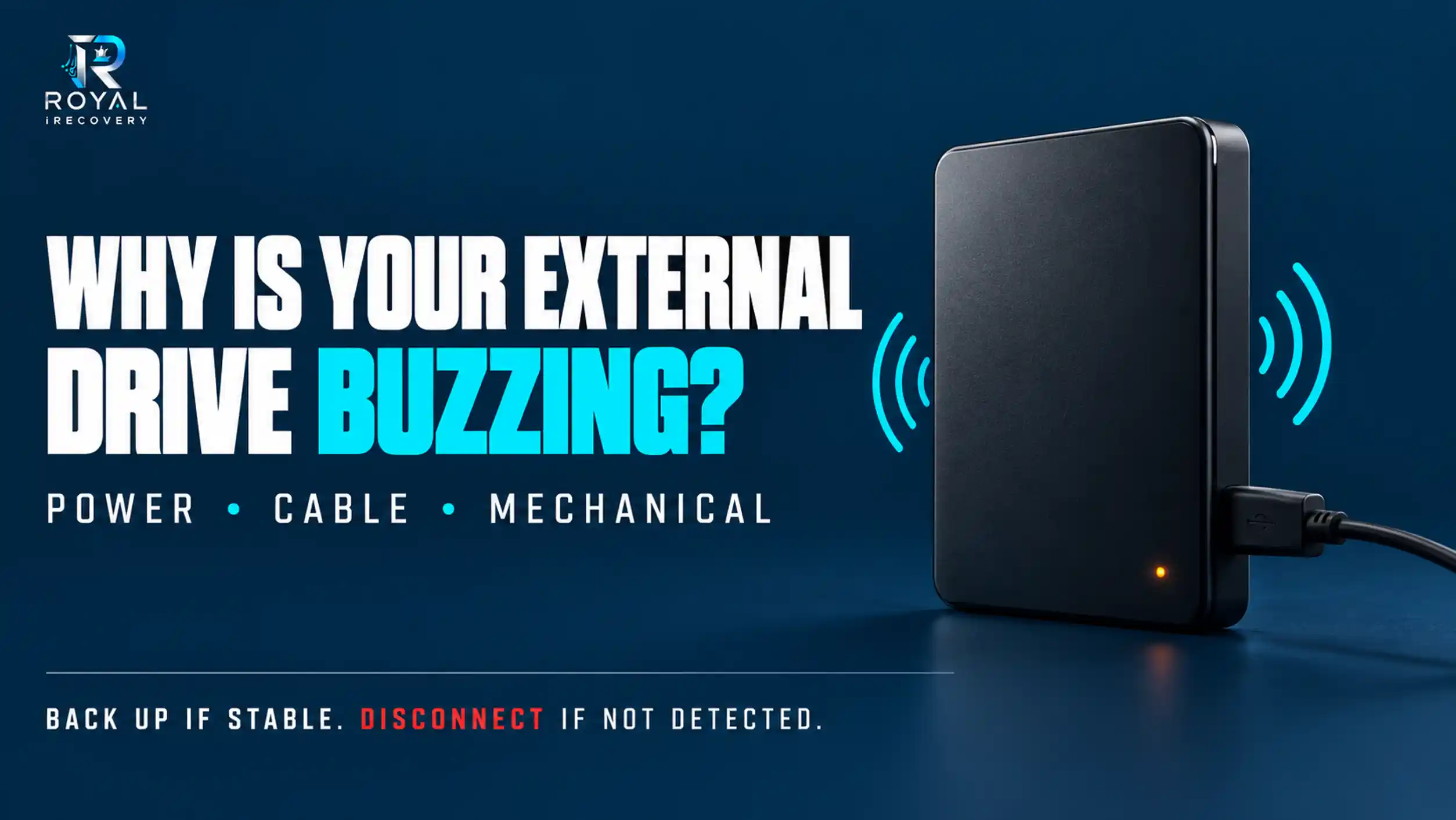
An external hard drive may buzz because of:
- Insufficient USB power
- A damaged USB cable
- A faulty power adapter
- Vibration inside the enclosure
- Motor or bearing failure
- Internal mechanical damage
- Excessive heat
Place the drive on a stable surface and check whether the enclosure itself is vibrating. If the drive is detected and operates normally, back up important files immediately. If it is not detected, freezes the computer, or produces repetitive buzzing, disconnect it and request professional diagnosis.
Why Is My External Hard Drive Beeping and Not Recognized?
A beeping external drive may not have enough power to spin correctly. It may also have a damaged motor or internal components that prevent normal operation.
The safe response is:
- Stop reconnecting it repeatedly.
- Do not initialize or format it.
- Do not open the enclosure if the data is important.
- Avoid random recovery programs.
- Have the drive professionally inspected.
A drive that doesn’t appear in Windows isn’t necessarily empty or permanently unrecoverable. It simply means the computer cannot currently communicate with it correctly.
Seagate Hard Drive Clicking or Beeping and Not Detected
Seagate external hard drives, including 1TB and 2TB models, may click or beep due to inadequate power, cable issues, motor failure, damaged heads, firmware problems, or physical impact.
The same principle applies to drives from:
- Western Digital
- Toshiba
- Samsung
- Hitachi and HGST
- LaCie
- Transcend
- ADATA
- Other internal and external hard drive brands
Royal iRecovery assesses and recovers data from major HDD, SSD, laptop, desktop, external-drive, server, RAID, NAS, QNAP, DVR, and NVR storage systems. The correct recovery method depends on the drive model and its actual condition.
Why Does a Hard Drive Make Noise When Not in Use?
A drive may still be active even when you are not opening files. Windows and installed applications can access it for:
- Search indexing
- Antivirus scans
- Automatic backups
- Cloud synchronization
- System updates
- Temporary files
- Drive-health monitoring
- Background application activity
Occasional light activity can be normal. Continuous clicking, grinding, or repeated spinning and stopping is not.
Use Task Manager to check disk activity only if the drive remains stable and makes no dangerous mechanical sounds. Don’t run extended tests on a failing drive just to satisfy your curiosity; the drive may respond by failing completely.
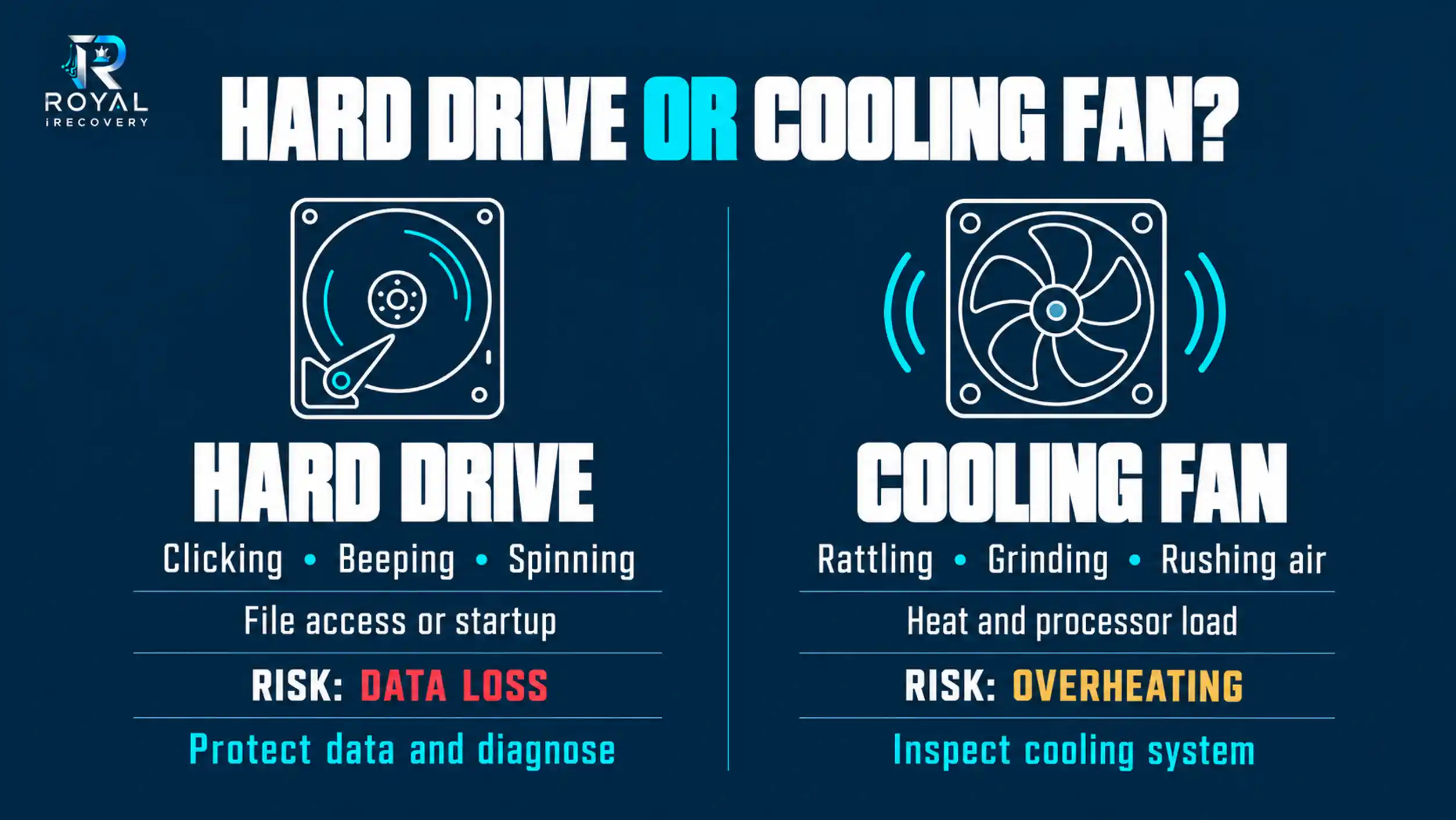
Why Did My Computer Make a Weird Noise?
Not every strange computer noise comes from the hard disk.
Cooling-Fan Noise
A damaged, dusty, or obstructed fan may rattle or grind. Fan noise often increases as the laptop heats up or runs demanding tasks.
Power-Supply or Electrical Noise
Desktop power supplies and internal electronic components can produce buzzing or high-pitched coil whine.
Loose Components
A loose screw, cable, panel, or drive enclosure may vibrate against the chassis.
Optical Drive Noise
A CD or DVD drive can spin loudly when you insert a disc.
Hard Drive Noise
HDD noise often comes from the storage area and may occur while Windows starts, files open, or data is copied.
How to Fix Hard Drive Grinding Noise
Grinding noise usually indicates physical or mechanical trouble. Software cannot repair damaged heads, worn bearings, or internal component contact.
Do not:
- Hit or shake the drive
- Put it in a freezer
- Open the HDD outside a cleanroom
- Run CHKDSK repeatedly
- Format or initialize the drive
- Replace its circuit board without proper diagnosis
- Keep restarting it to see whether the noise disappears
A noisy hard drive may need controlled inspection, professional imaging equipment, compatible components, and cleanroom work. The objective is usually to recover the data, not to return a mechanically damaged drive to everyday use.
Hard Drive Making Clicking or Grinding Noises?
Unusual hard drive noises may indicate damaged read/write heads, motor failure, or other mechanical problems. Continuing to use the drive can put your data at further risk.
Get professional [Hard Drive Repair Services] from our specialists at Royal iRecovery. We will assess the drive, identify the likely cause, and recommend the safest next step.
Contact us for a free initial diagnosis.
Can Data Be Recovered from a Noisy Hard Drive?
Data recovery may be possible, but the result depends on:
- The type of mechanical or electronic failure
- The condition of the platter surfaces
- Whether the drive was dropped
- How long it continued operating after the noise began
- Previous recovery attempts
- Whether suitable compatible parts are available
No professional data recovery center can guarantee recovery without first examining the drive. Early shutdown generally provides a better starting point than days of repeated testing.
What Should You Do When a Hard Drive Makes an Unusual Noise?
Follow these steps:
- Stop copying or saving files.
- Shut the computer down.
- Disconnect a clicking, grinding, or beeping external drive.
- Do not format or initialize it.
- Avoid recovery software on a mechanically damaged drive.
- Contact a professional data recovery center.
If the drive remains quiet, stable, and fully accessible, back up your data before investigating further. If it makes severe mechanical sounds, skip the backup attempt and shut it down.
Professional Noisy Hard Drive Diagnosis in Muscat
Royal iRecovery provides professional hard drive data recovery in Muscat for individuals, businesses, banks, government organizations, IT teams, photographers, and other customers across the Sultanate of Oman.
Our services cover:
- Computer hard drive recovery
- Laptop data recovery
- External hard drive recovery
- HDD and SSD recovery
- Deleted and formatted data recovery
- Mechanically damaged drives
- Server, RAID, NAS, and QNAP recovery
- CCTV, DVR, and NVR data recovery
With more than 25 years of experience, our team uses specialized equipment such as PC-3000 and a dedicated cleanroom for cases requiring controlled internal procedures. We offer a free initial diagnosis, explain your recovery options, and maintain strict confidentiality throughout the process.
We also handle computers and laptops from major manufacturers, including Dell, HP, Lenovo, ASUS, Acer, Apple, MSI, and Fujitsu.
Our Data-Recovery Process
- Contact us: Describe the sound and what happened before it started.
- Drive diagnosis: Our specialists inspect the storage device.
- Recovery assessment: We explain the possible method, timeframe, and estimated cost.
- Customer approval: We begin recovery only after you approve the plan.
- Secure delivery: We return successfully recovered data through the agreed method.
Stop the Drive Before the Noise Becomes Silence
A noisy hard drive is often giving you one final warning. Do not keep restarting, scanning, or reconnecting it while valuable files remain inside.
Contact Royal iRecovery in Muscat for a free initial diagnosis. Our specialists will examine the drive, identify the likely cause of failure, and determine the safest available method to recover your data.
Frequently Asked Questions
Is it normal for an HDD to make noise?
Soft spinning and occasional light activity sounds can be normal. Repetitive clicking, grinding, scraping, or beeping requires attention.
Can a clicking hard drive be fixed?
A clicking drive may sometimes be stabilized for data recovery, but you shouldn’t trust it for future storage.
Why is my Seagate external drive beeping?
Possible causes include insufficient power, a damaged cable, motor failure, or internal mechanical damage.
Should I run recovery software on a noisy drive?
Not if the drive clicks, grinds, beeps, disconnects, or is not recognized. Recovery software can place additional stress on damaged hardware.
Where can I diagnose a noisy hard drive in Muscat?
Royal iRecovery provides professional hard drive diagnosis and data recovery in Muscat and accepts cases from across Oman.